
Power Gaming Laptop, the Asus G74SX-TZ358V
http://www.centrecom.com.au/catalog/g74sx-tz358v-asus-g74sx-tz358v-p-56205.html?sort=2a
http://www.centrecom.com.au/catalog/g74sx-tz358v-asus-g74sx-tz358v-p-56205.html?sort=2a
 Up today is a special treat, it’s the Asus G74SX-TZ358. We all know what a monster of a laptop these are, so today I’ll be putting them to the test to see just how well it performs in real-world use.
So as always, let’s take a look at this monster’s internals.
 Model: G74SX-TZ358V
OS: Windows 7 Home Premium 64bit
CPU: Intel® Core™ i7-2670QM (2.2GHz, 3.10GHz Turbo)
Memory: 16GB DDR3 (1333MHz)
Hard Drive(s): 256GB SSD + 750GB 5400RPM
Optical Drive(s): BluRay Writer
Networking: Gigabit Ethernet
Graphics: nVidia GTX560M 3GB
Display: 17.3” Full-HD LED (1920x1080 Resolution)
Audio: EAX5.0, THX TruStudio
Coms: 802.11b/g/n, Bluetooth 2.1
Inputs: 3x USB2.0, 1x USB3.0, 1x eSATA, 1x Microphone, SD Card Reader
Outputs: 1x Headphone Out, 1x VGA, 1x HDMI
Battery: 8 Cell
Weight: 4.28kg
Well there’s no surprise here, this definitely has the wow factor. So let’s take a look at it in detail and see what it has to offer.


 Unboxing the unit I was less than impressed, comes in a standard Asus ROG box with average cardboard moulding, for a laptop of its price I would’ve liked to have seen something a little bit more flamboyant and exciting. Taking it out of its box was a fair effort, weighing in almost double the weight of your average 15” laptop. However once it’s opened up you truly see the magnitude of this machine. It is thick and huge. The casing is a slick matte black plastic with what feels like rubber around some points including the wrist rest area and the lid.
 Opening up the lid reveals the full sized backlit keyboard with a dedicated number pad. The keys look fantastic with the backlights (kind of reminds me MacBook keyboards) and are extremely smooth and comfortable to use. Size and ergonomics aren’t compromised with this keyboard with nicely spaced out keys allowing even the bigger fingered gamers to take full enjoyment out of it. Along the top right of the unit you’ll see the power button and the ROG button, which allow you to select difference performance profiles for the machine. For testing purposes, I kept it on Performance (Highest setting)
On the left of the unit you’ll find 2x USB ports, Lock, BluRay drive and audio jacks. The right hand side features another 2 USB ports (one of which is USB3.0), network plug, power plug, HDMI, VGA and a card reader. The rear of the unit is where it is the thickest has two spaceship-like exhausts pushing out hardcore air.
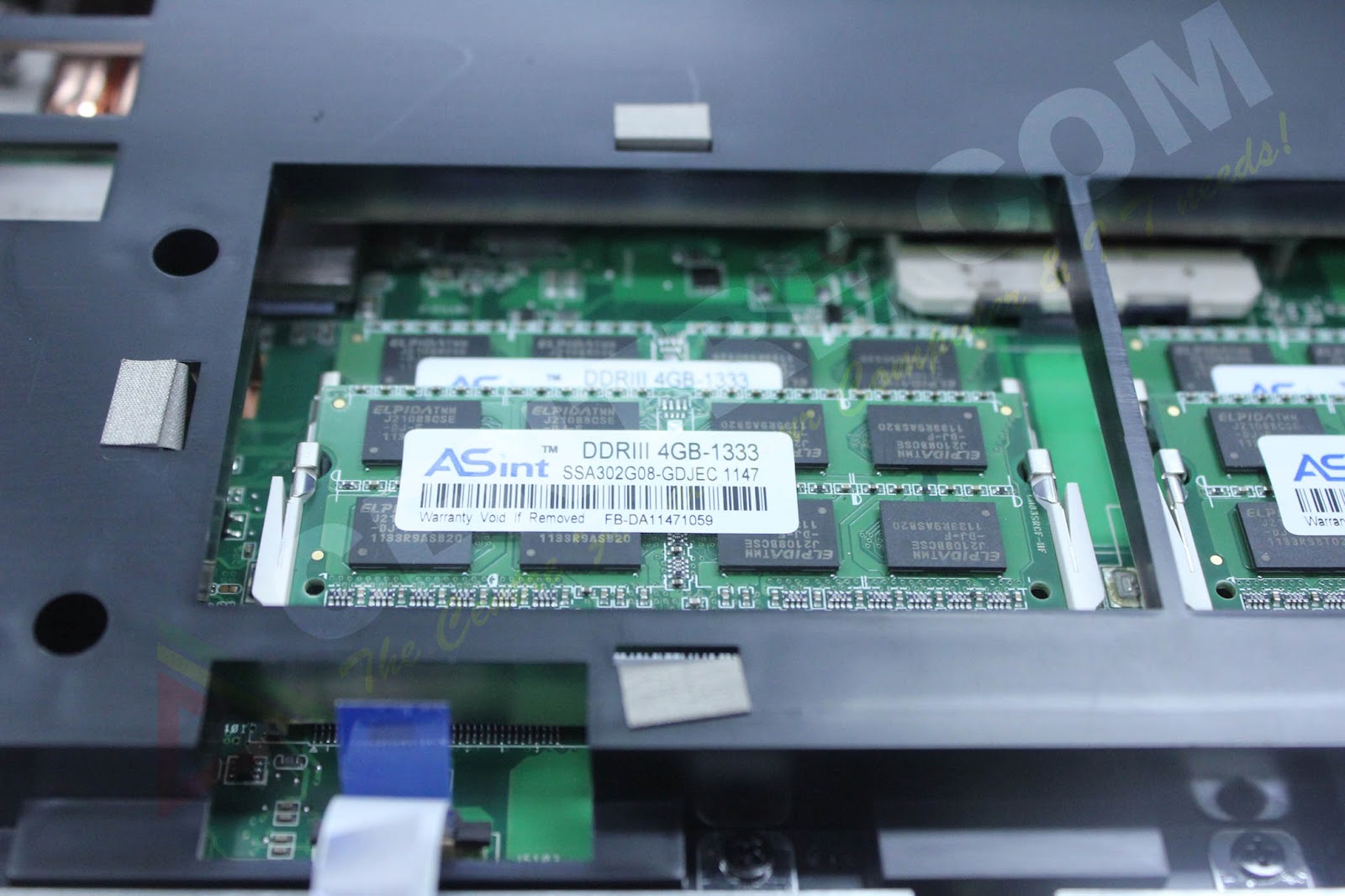
 Flipping the unit upside down we can unscrew the small clip to reveal the Memory modules and both hard drives, a fantastic and easy way to upgrade the machine in the future, allowing good future proofing.
  The display on the machine is fantastic. The large 17” LED screen boasts Full HD resolutions with crisp and clear clarity. Full HD films (MKV format) looks and play fantastic, the support of good audio decoders within the laptop produce a solid performing sound to accompany the visuals, but the speakers definitely do lack the quality and power of the rest of the machine. A good solid pair of speakers would’ve really pushed this laptop to be that little bit more exciting to play with.
Blu-ray playback was a bit tricky, the pre-installed crapware simply put, did not work. After downloading PowerDVD did I manage to get a Blu-ray movie working and it was gorgeous. The colours were very rich and vibrant showing off amazingly rich deep blacks with clarity in its colour.

 Performance
A power laptop like this would be expected to excel in performance, and as expected it didn’t disappoint. Booting came in at 25 seconds and with a few tweaks and changes I got it down to around the 20sec mark, which really is unbelievable for a laptop computer. The SSD in the G74 is a LiteOn LAT-256M3S, with Seq. Read and Write coming in at 500MB/s & 360MB/s respectively, something which we will put to test with the same software used as LiteOn. It should be noted though, like other Asus units, the G74 is piled on with pre-installed crapware which if the PC is left idle for 5-10min all popup one after the other, covering your screen.
 Starting up 3DMark11 I tested the machine under Performance and Extreme settings with results as follows:
X665 3DMarks
P2040 3DMarks
 I wasn’t that pleased with the results, it did perform well above any other laptop I have tested, but I was expecting a bit more out of it. So I jumped on the net and updated to the latest drivers and followed up with these results:
X698 3DMarks
P2216 3DMarks
P2216 3DMarks
 So a fair bit of an improvement, but I feel like it’s being slightly bottlenecked by the CPU. The 3DMark scores excelled at graphic tests but when it came to Physics test it’s where it slight underperformed. None the less, very good results for a laptop computer.
In our Unigine V2.5 benchmark, the G74 came in with the following result:
FPS: 18.1
Score: 457
Min FPS: 6.5
Max FPS: 43.1
Score: 457
Min FPS: 6.5
Max FPS: 43.1
Testing the SSD’s performance with HD Tune Pro came up with the following results:
Max Read: 308.3MB/s
Max Read: 308.3MB/s
 Fairly short of the 500MB/s listed in the spec sheet of the drive. When it came to writing, the software failed. This was because the SSD drive is actually partitioned. Your C drive is given 100GB of the SSD and the remaining is partitioned separately, along with the 750GB drive which is also split into two partitions, both which are completely stupid ideas. Asus, what are you doing? However, going on the performance result of the read, I’d say the write is fairly lower than the stated amount.
Gaming however, put to rest all the controversial benchmark scores. Crysis 2 ran like a breeze with Full HD Resolution pushing out an incredible 39 FPS average while keeping less than 65 degrees. Brilliant score for a laptop! If you think about it a 6970 averages around the 50fps mark for certain models, so for a complete laptop system to push out 39 as an average, that’s pretty good.
 Modern Warfare 3 had no issues at all running it at 1920x1080 with full settings maxed out. Over the span of gameplay it average a solid 40fps.
 Temperatures were amazing. Even under full load the GPU didn’t pass 70 degrees with the CPU coming in even lower. The exhausts at the back however were pushing out a good amount of heat so full credit goes to this design by Asus, the dual fan design they have in the machine definitely gets the heat out. Having said that I would not recommend using this on your lap, this will burn the hair of your legs! A desk and even if you have one, an elevated cooler would be the wisest option.
Conclusion

 Asus have built something special here; this is definitely a laptop you could use as a desktop replacement… even for the gamer. I would however recommend any user who buys this to do a complete format and partition back the drives together to create a true 256Gb SSD + 750GB Hard Drive combo. Partitioning 2 drives into 4 on a laptop just does not seem wise or logical. The machine has plenty of grunt, it’s a shame you need to spend so much time to take full advantage of it. For a price tag of around $2200, you definitely do get equally performing machine. Its upgradability makes it future proof and open for improvements (How about an Intel or Crucial SSD??). If your into your LAN events and are sick and tired of lugging around complete system around, this is definitely a worthy option to consider.
By Sahin Selvi
sahin.s@centrecom.com.au
sahin.s@centrecom.com.au
 The benchmark results may differ from user to user depending on what background software you are running and versions of benchmark software. These results aren’t portrayed to be seen as exact performance figures but merely as a rough estimate on the performance of the machine. These results are in no way bias to any company or person and are here to provide the end user in depth details and to provide extra assistance of potential purchases. All information on this page is subject to copyright. Please do not copy any parts of this article.


